Android app
Take the cinema shelf with you.
Download the mobile app, browse quickly, and keep the same movie-first experience close at hand.
Download NOW
Latest version • Safe & direct download • No pop-up ads
App Screenshots

How to Install
Follow these steps on your Android device after downloading the APK.
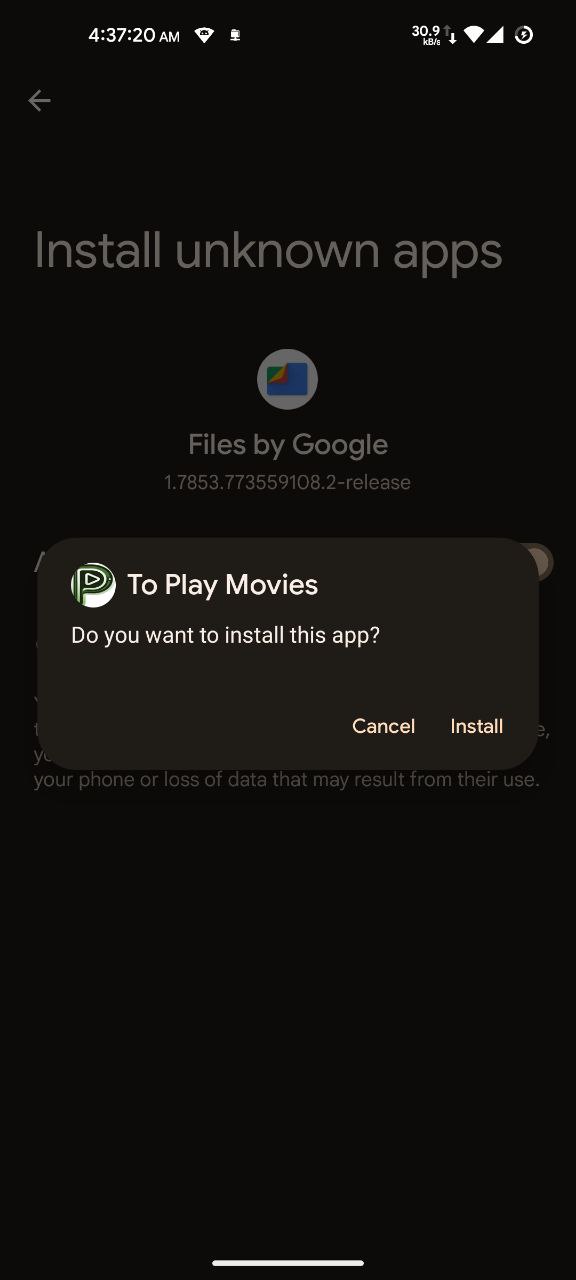 Step 1Locate the downloaded toplaymovies.apk file on your device. Tap it to begin installation. If prompted, allow installation from unknown sources in your device settings.
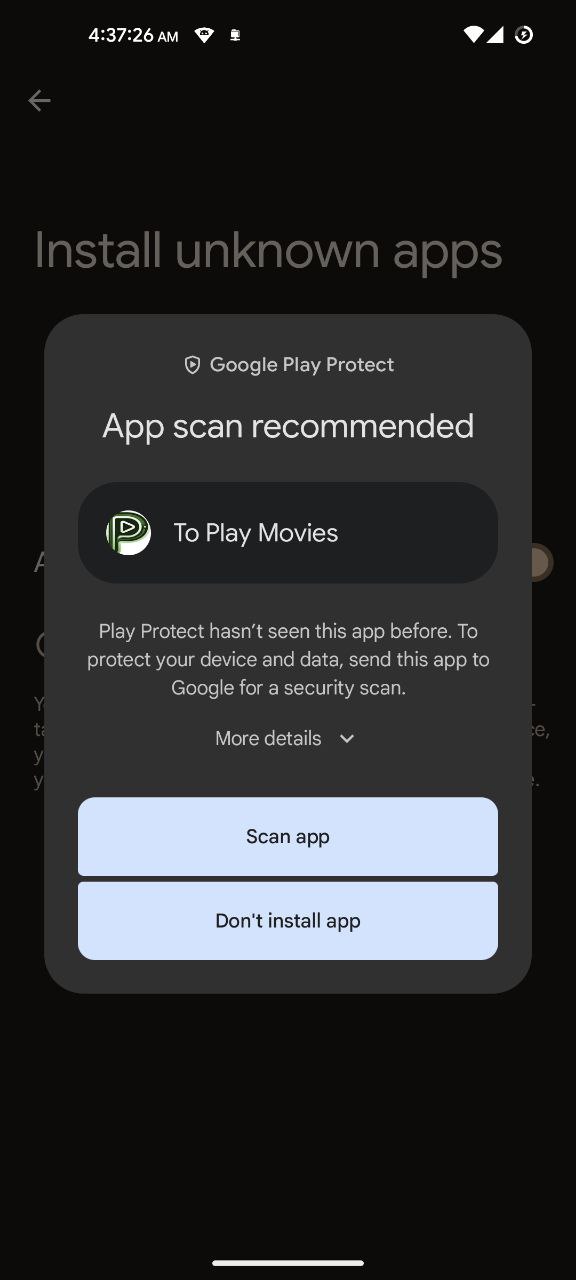 Step 2You may see a security scan prompt. It is recommended to tap Scan app for your safety, or tap More details to proceed without scanning.
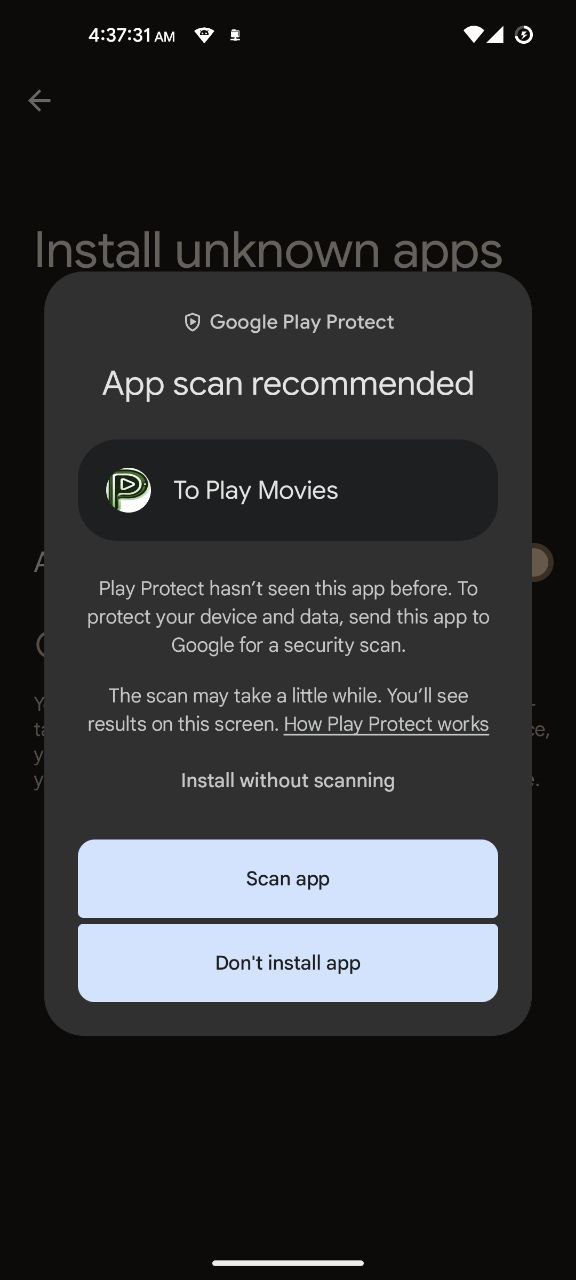 Step 3If you choose Install anyway, you can proceed without scanning. However, scanning is recommended for your peace of mind. The app contains no malicious code.
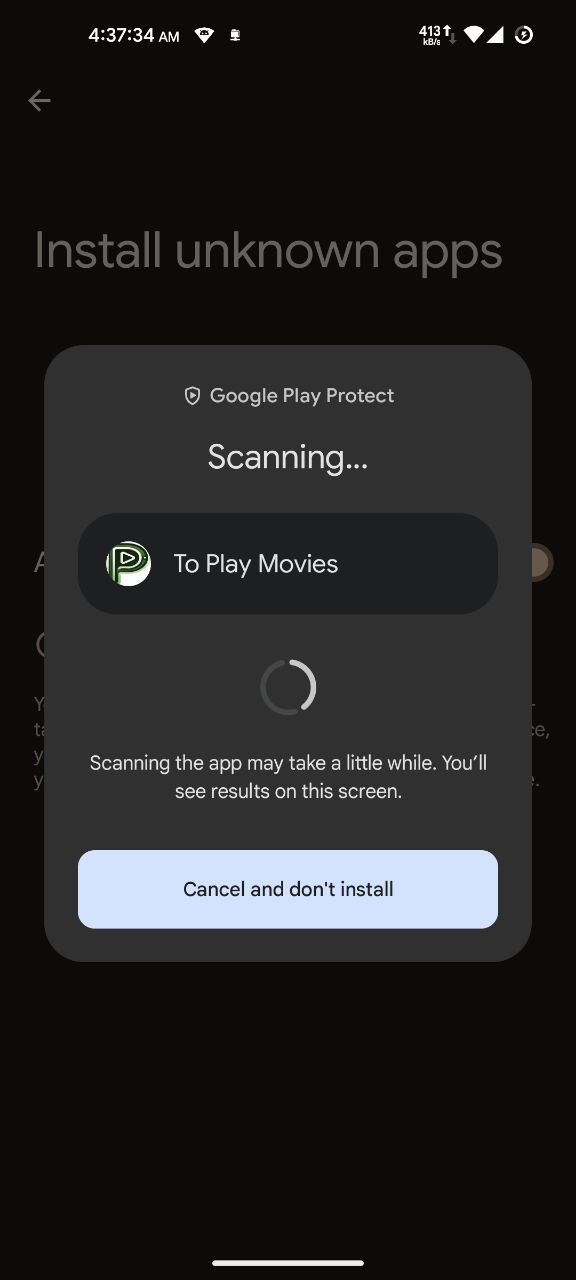 Step 4Wait for the security scan to complete. This may take a few moments depending on your device.
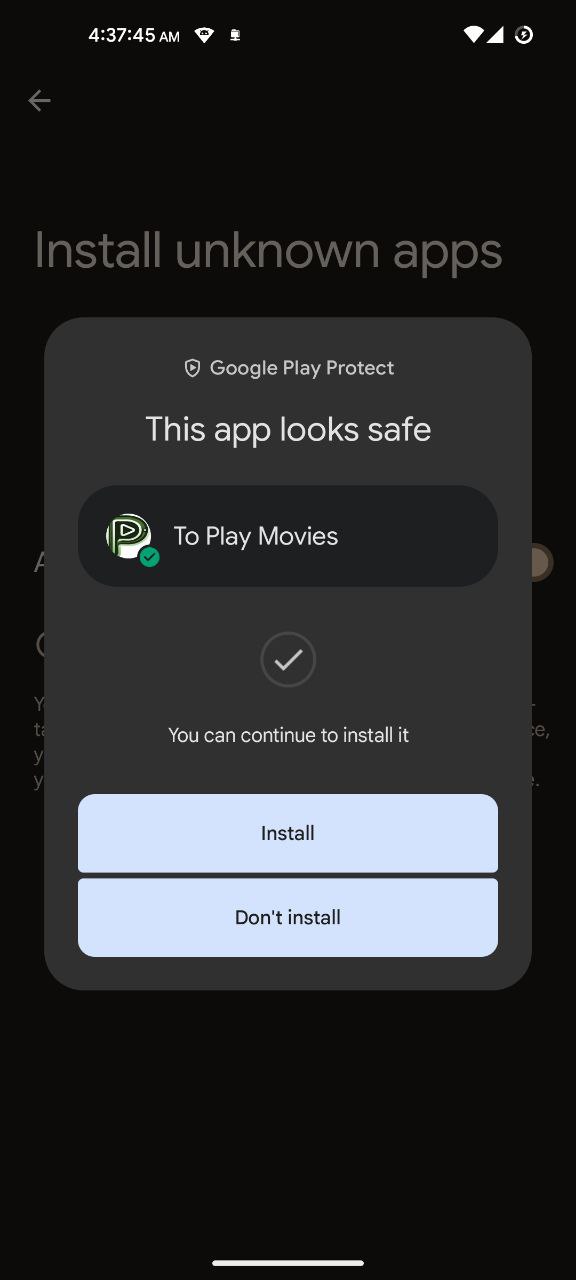 Step 5Once the scan is complete and the app is deemed safe, tap Install. Wait for the installation process to finish.
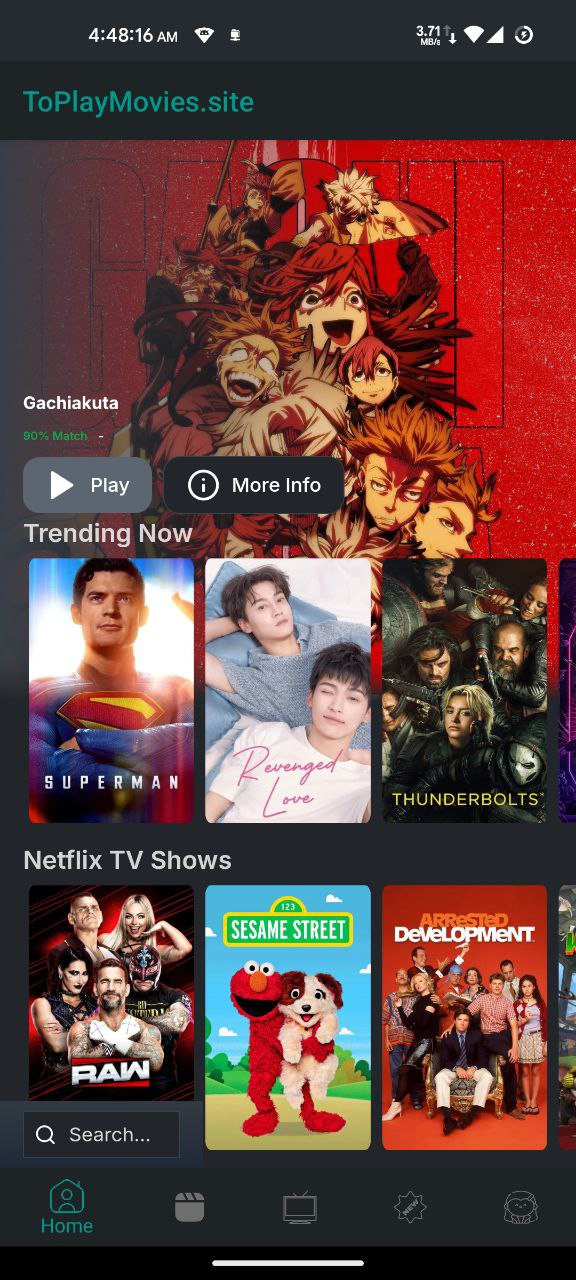 Step 6After installation, find the Toplay Movies app icon in your app drawer. Tap it to open and enjoy streaming!